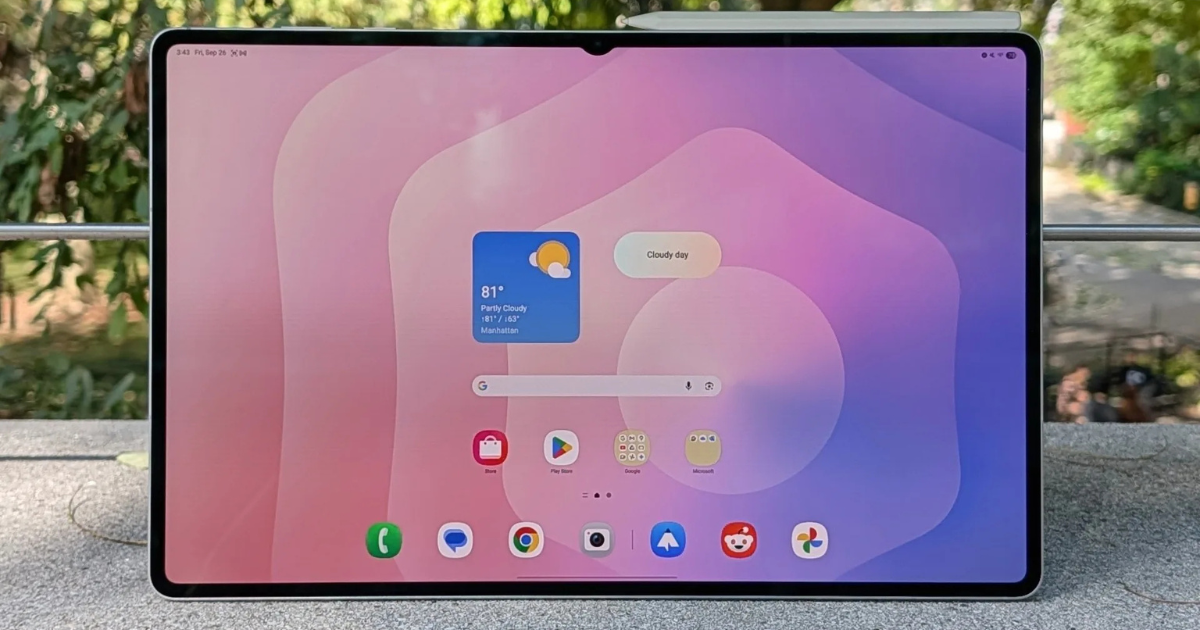
Tablets have evolved far beyond entertainment devices—they are now powerful tools for professionals, students, and freelancers. With features like keyboard support, stylus input, and desktop-like operating systems, many tablets can even replace laptops for everyday work. In this guide, we review the best tablets for work in 2026 and help you choose the right one for your needs.
Why Choose a Tablet for Work?
Modern tablets combine portability with performance, making them ideal for working on the go. The best work tablets offer fast processors, multitasking capabilities, and long battery life. Many also support accessories like detachable keyboards and styluses, turning them into mini workstations.
Top Tablets for Work
1. Apple iPad Pro (M4) – Best Overall Work Tablet
Apple iPad Pro 13-inch (M4)
The iPad Pro is widely considered the most powerful tablet available today. With Apple’s M4 chip, it delivers laptop-level performance, making it perfect for multitasking, video editing, and professional apps. Its ultra-sharp display and seamless ecosystem make it ideal for creatives and business users alike.
Best for: Professionals, designers, and power users
2. Microsoft Surface Pro (2024) – Laptop Replacement
Microsoft Surface Pro 9
If you want a tablet that feels like a real laptop, the Surface Pro is a top choice. Running full Windows, it supports desktop applications like Microsoft Office, making it ideal for business tasks. Pair it with a keyboard, and it becomes a полноценный laptop alternative.
Best for: Office work, corporate use, and multitasking
3. Samsung Galaxy Tab S9 Series – Best Android Productivity Tablet
Samsung Galaxy Tab S9
Samsung’s flagship tablets are known for their stunning displays and productivity features. With DeX mode, you can enjoy a desktop-like interface, making multitasking easier. The included S Pen is perfect for note-taking and presentations.
Best for: Android users and multitaskers
4. Apple iPad Air (M3) – Best Value for Work
Apple iPad Air (M3)
The iPad Air offers a great balance between performance and price. It’s powerful enough for most work tasks, including document editing, video calls, and light creative work. Its lightweight design makes it perfect for students and remote workers.
Best for: Students and budget-conscious professionals
5. OnePlus Pad 3 – High Performance at a Lower Cost
OnePlus Pad 3
This tablet stands out for offering flagship-level performance at a competitive price. It’s ideal for users who need speed and efficiency without paying premium prices. Community discussions highlight its strong performance and long-term usability.
Best for: Performance-focused users on a budget
Key Features to Look For
When choosing a tablet for work, consider the following:
- Performance: Look for powerful processors like Apple M-series or Snapdragon chips
- Battery life: Aim for at least 10 hours for all-day productivity
- Accessories: Keyboard and stylus support are essential for work
- Operating system: Choose between iPadOS, Android, or Windows based on your workflow
- Display quality: A sharp screen improves reading and editing tasks
Modern tablets now support multitasking, cloud apps, and even advanced creative tools, making them suitable for professional use.
Pros of Using Tablets for Work
- Lightweight and portable
- Long battery life
- Touchscreen and stylus flexibility
- Ideal for remote work and travel
Limitations
- Limited desktop software (on some platforms)
- Accessories can be expensive
- Not ideal for heavy tasks like advanced programming or gaming
Final Verdict
The best tablet for work depends on your specific needs. If you want maximum power, the iPad Pro is unmatched. For a true laptop replacement, the Surface Pro is the best option. Android users will appreciate Samsung’s productivity features, while budget users can rely on devices like the iPad Air or OnePlus Pad.
Overall, tablets have become reliable productivity tools that can handle most daily work tasks with ease. With the right choice, you can enjoy flexibility, performance, and portability—all in one device.